Beacon Care

What we did
Product design
Dashboard UI
Accessibility
Client
Self-initiated
Year
2026
Platform
Clinician web dashboard, patient app

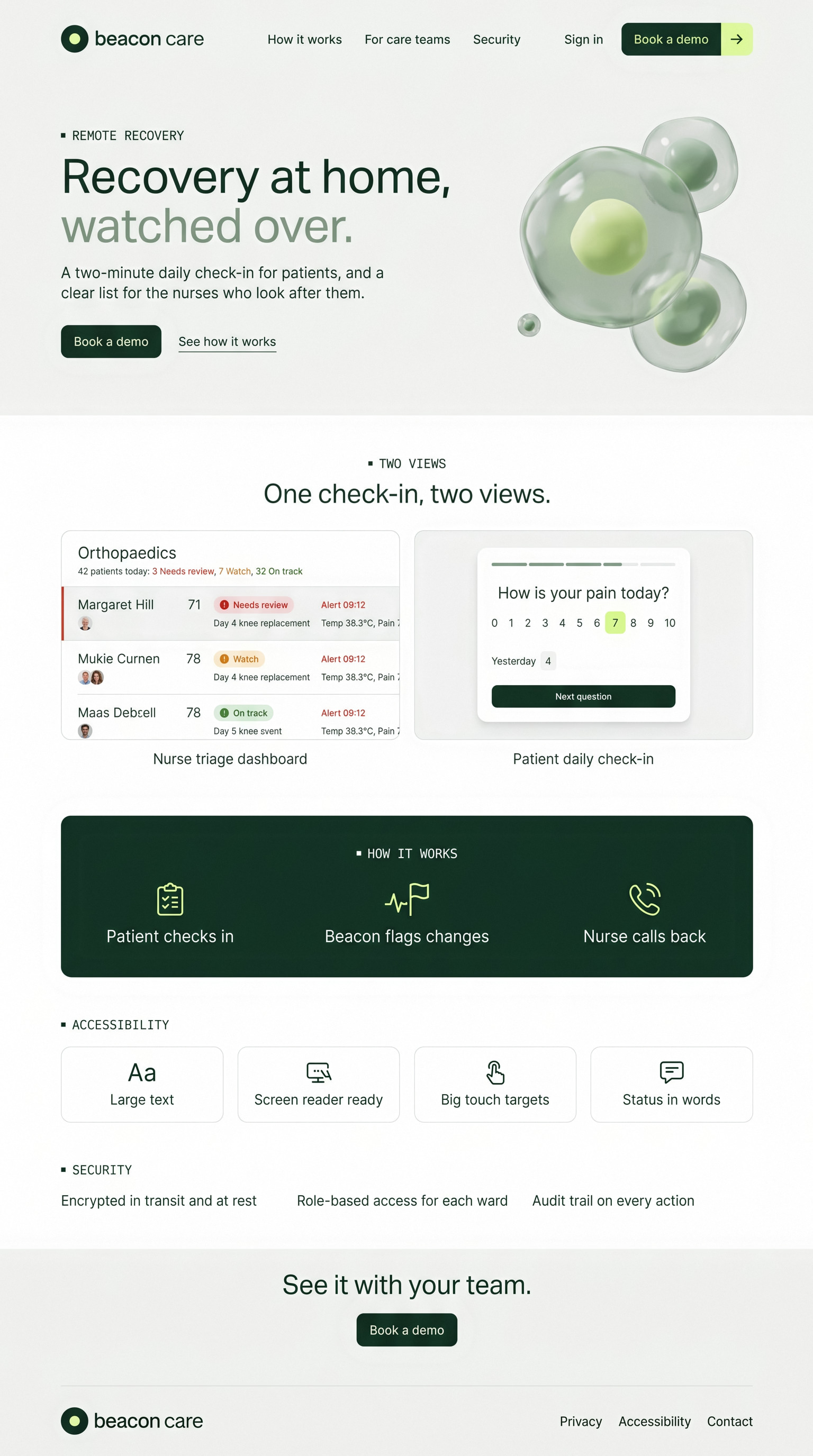
Recovery at home, watched over. We designed a nurse dashboard that puts the patients who need attention first, and a two-minute daily check-in for patients. All patients shown are fictional.

The challenge

More patients now recover at home after surgery. A nurse following dozens of them needs to know, every morning, who to call first, and patients, many of them older, need a check-in they can finish in two minutes.

The approach

We designed the nurse view as a list sorted by need, not a wall of charts. The patient app uses large type, one question per screen and plain words, designed to WCAG 2.2 AA. Alert limits are set by the care team; the product never diagnoses.
Scroll to explore the full page
Clinical calm, without the coldness
Full page, top to bottom
Marketing site

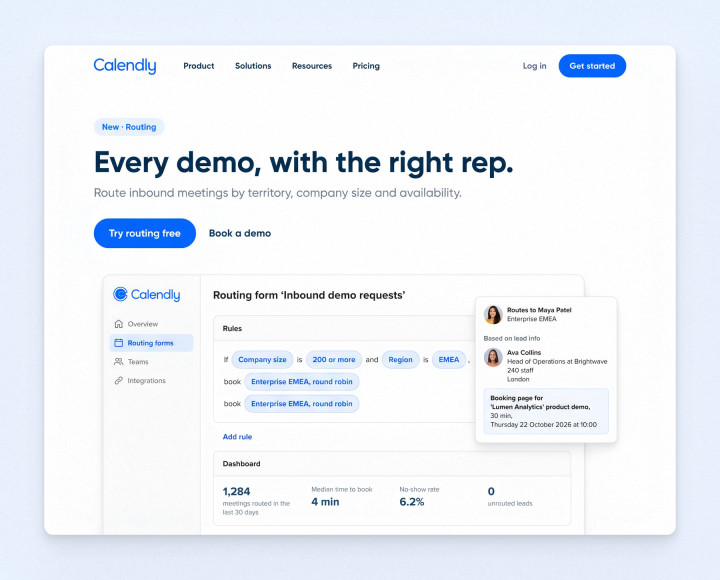
Clinical calm, without the coldness

The site borrows the calm of biotech brands: soft off-white, deep forest green and glassy cell imagery. It shows the nurse view and the patient view side by side and makes no claims the product can't back up.
Two people, one check-in
User flow

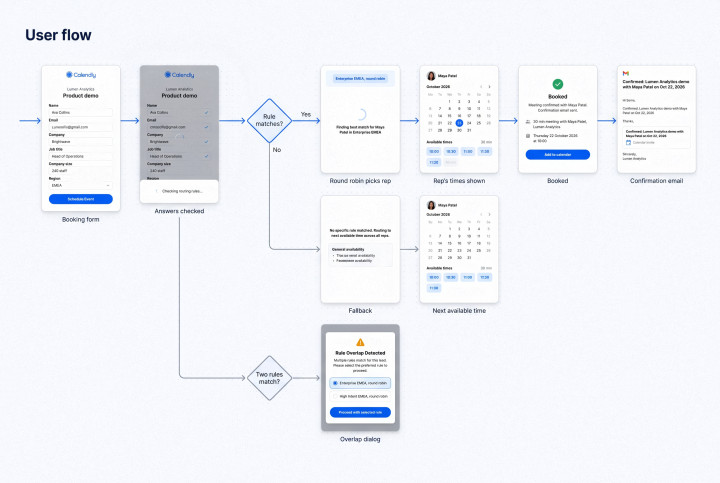
Two people, one check-in

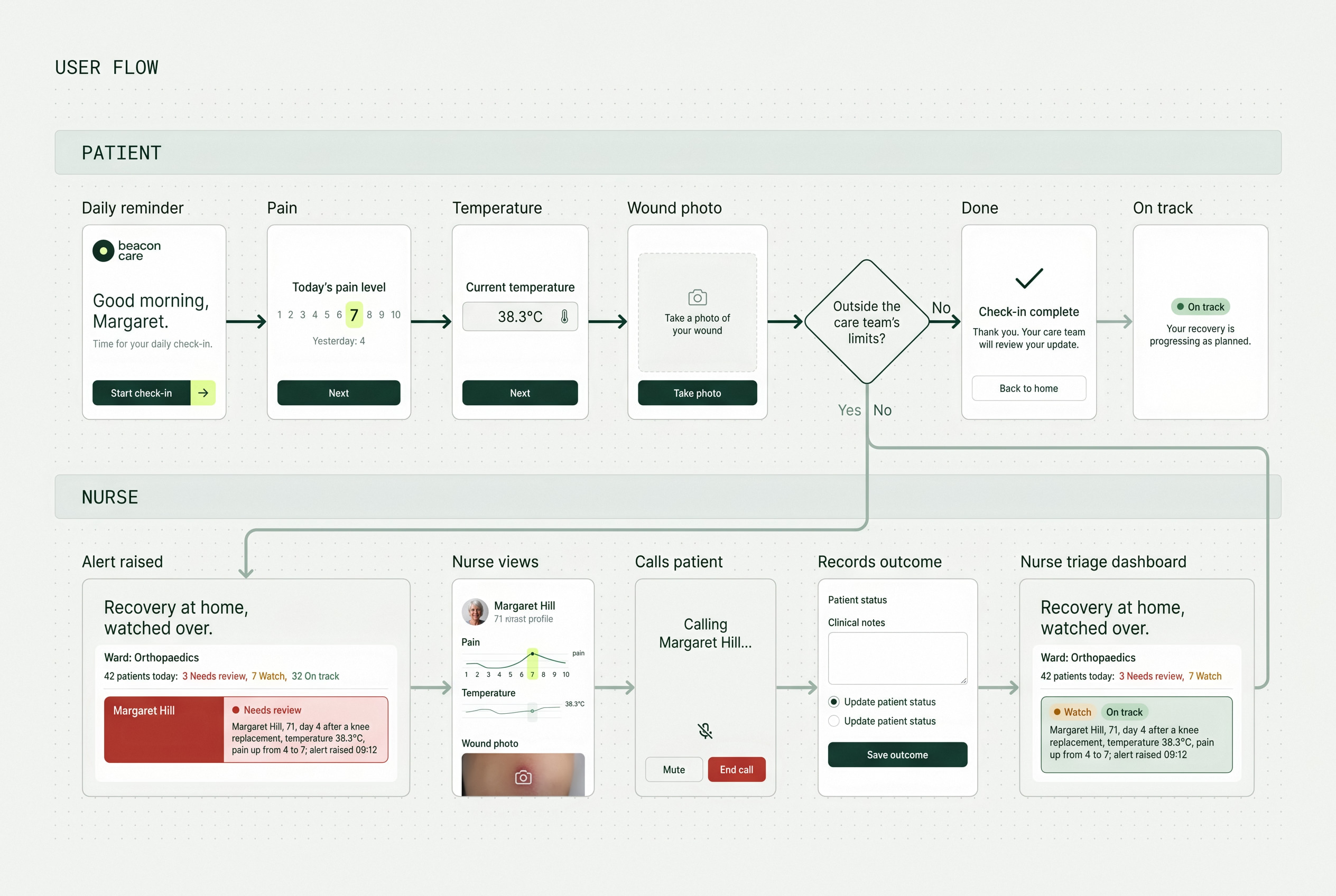
The patient's two-minute check-in and the nurse's alert flow were designed together, so every reading that raises an alert arrives with a reason and a next step.
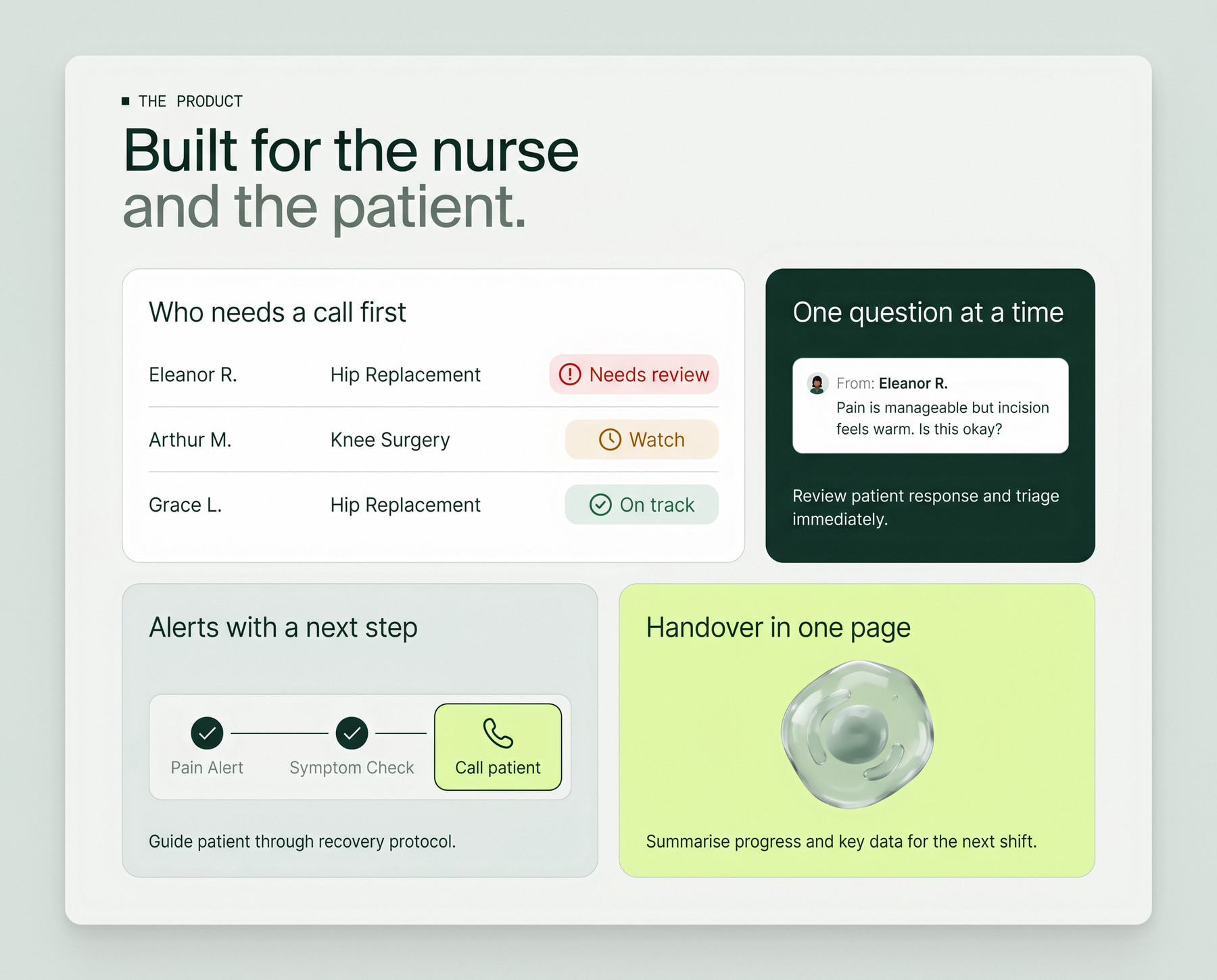
Who needs a call first
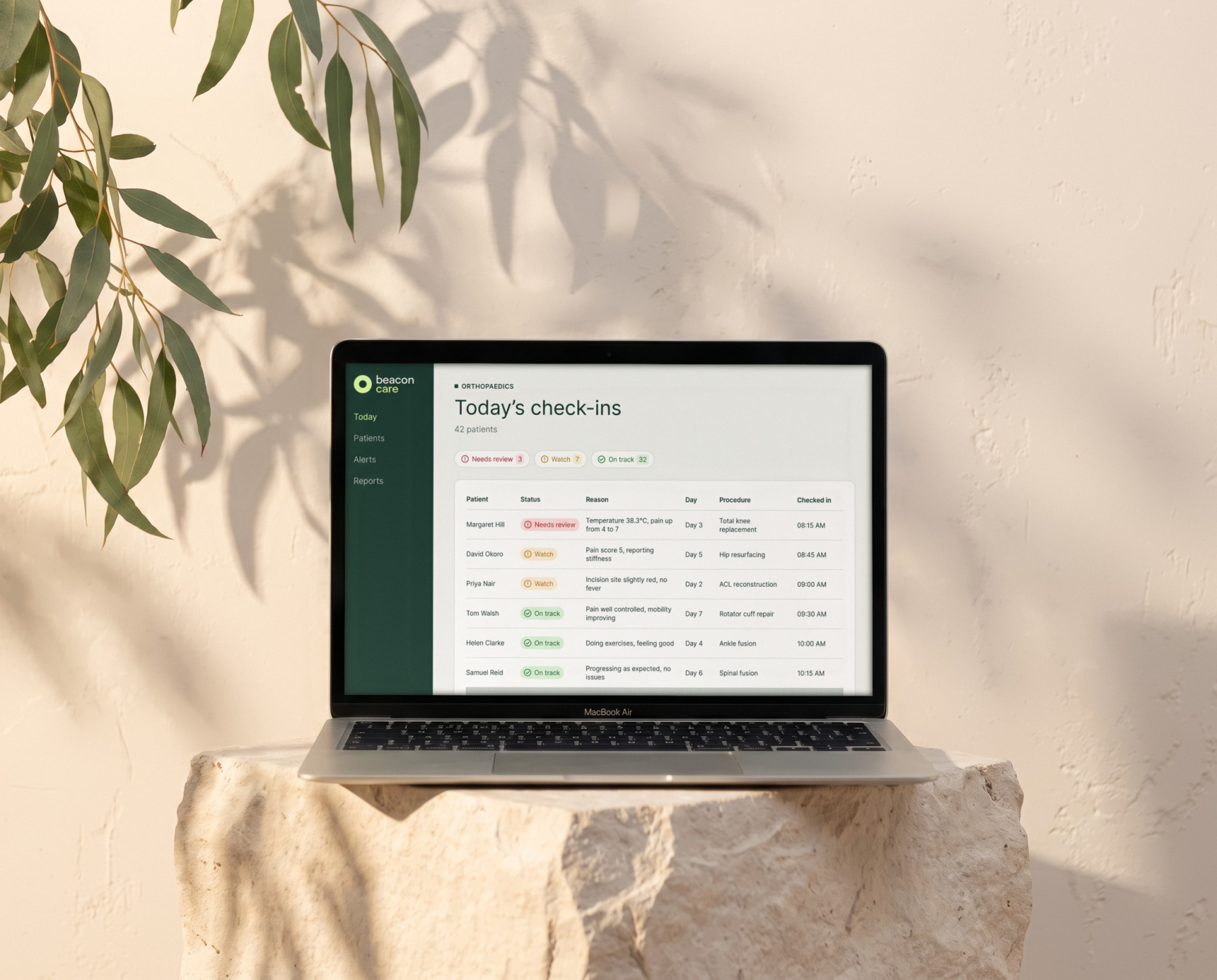
Nurse view

Who needs a call first

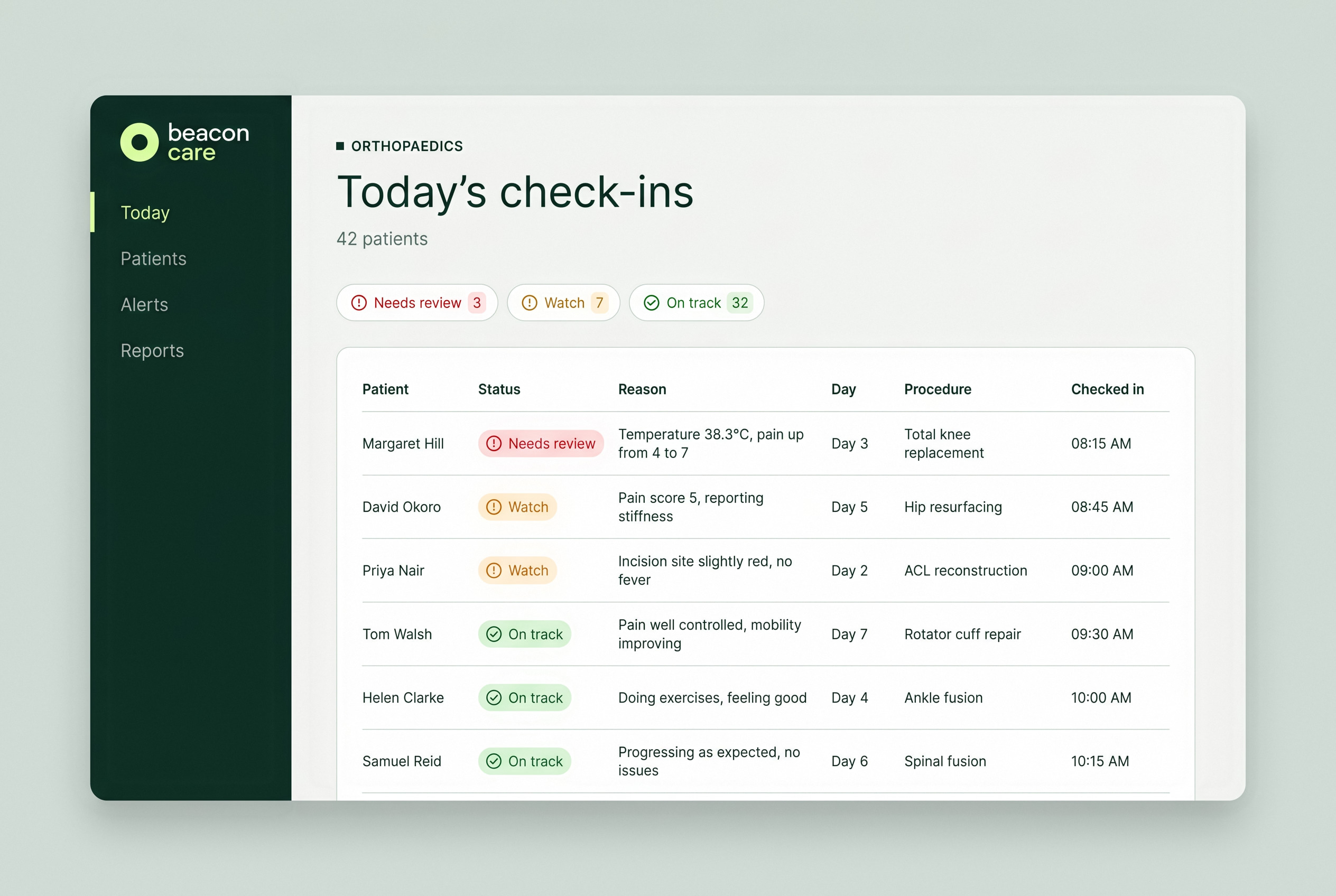
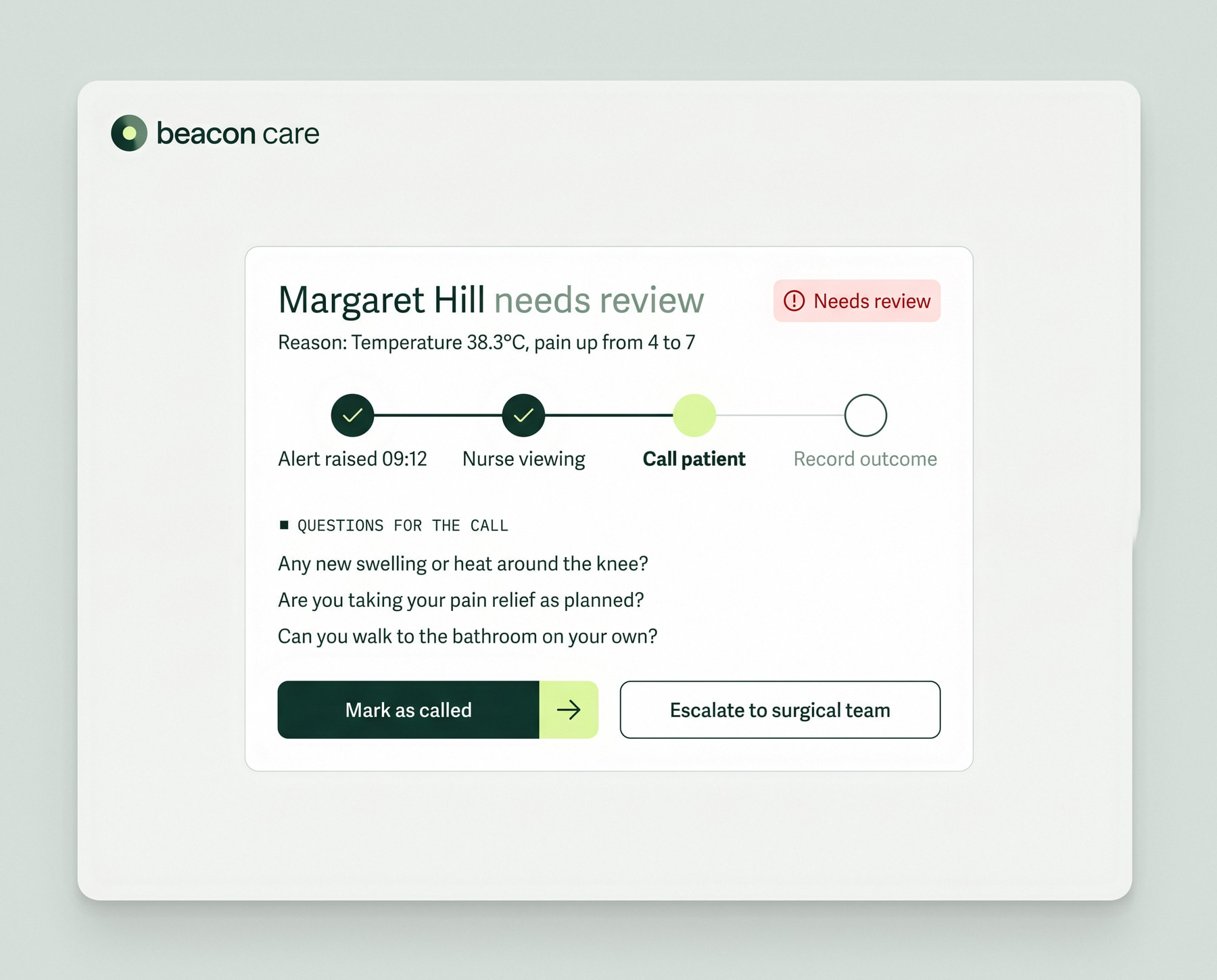
Every morning the list is sorted by who needs attention, and every row says why in words: "Temperature 38.3°C, pain up from 4 to 7." Nurses scan reasons, not charts.
A recovery on one page
Alerts marked on the line
Patient detail

A recovery on one page

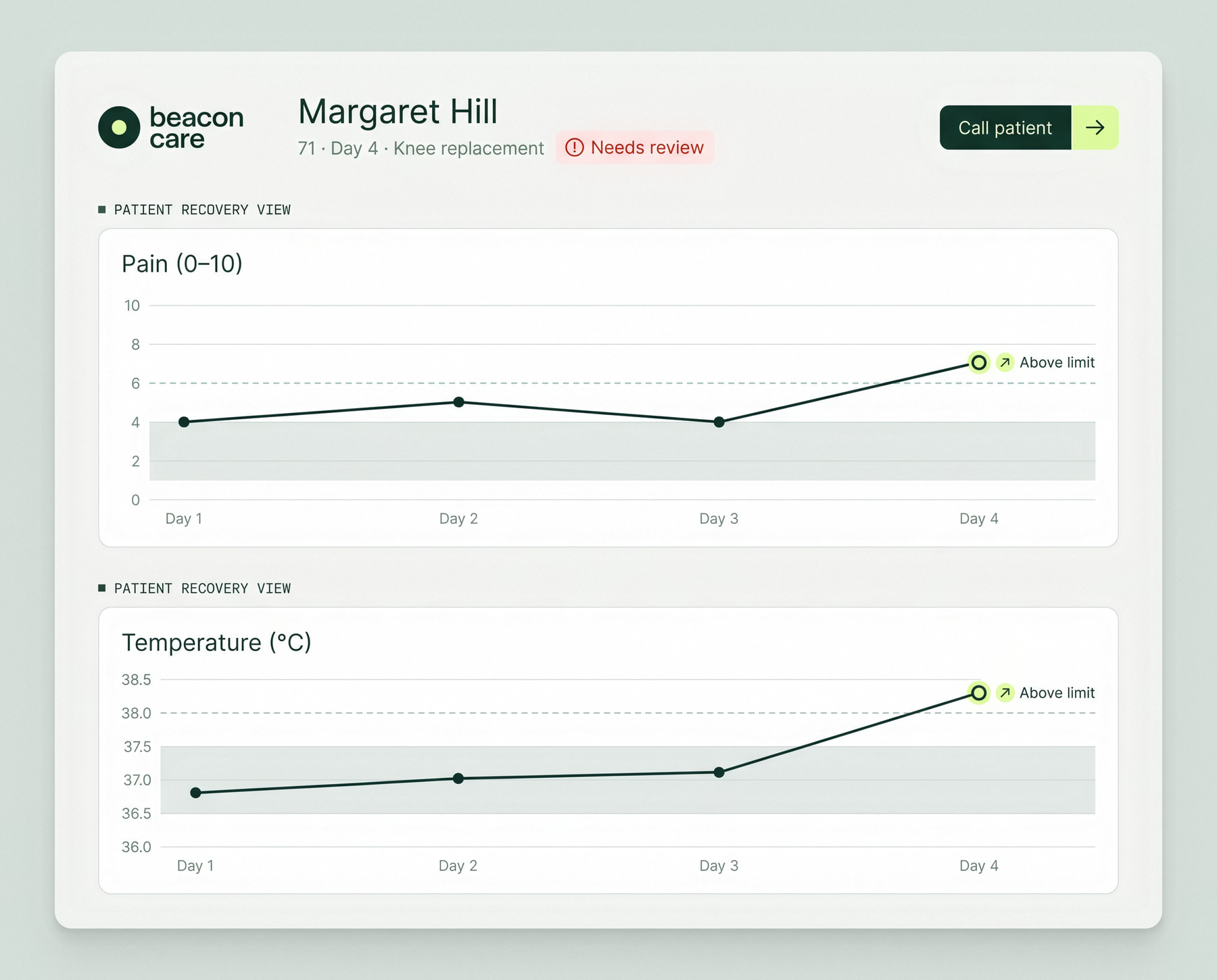
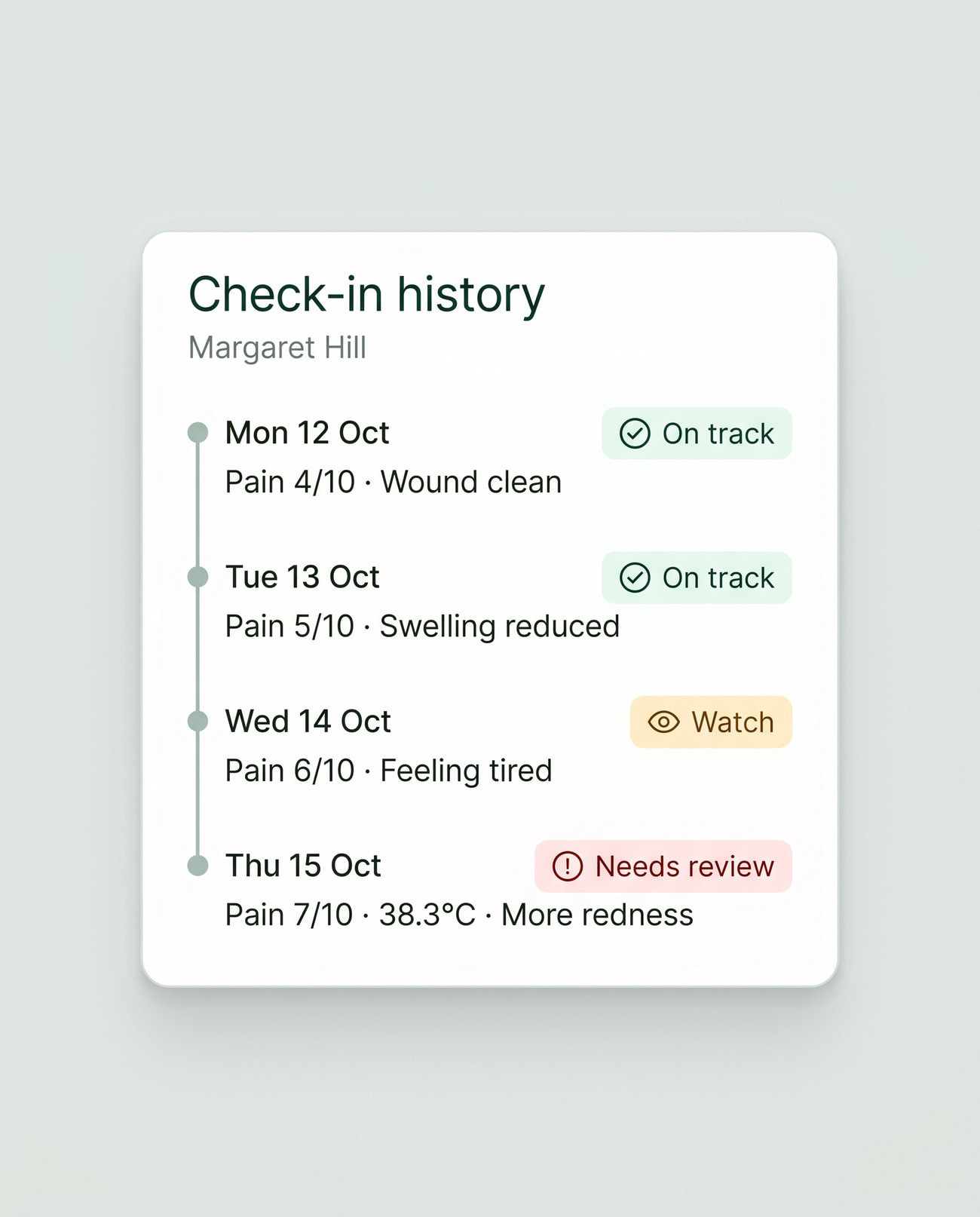
A patient's page shows their recovery since they went home, with the readings that raised an alert marked on the line. Check-ins and wound photos sit in a timeline, so a change is easy to spot.
Nothing left half-done
Alerts

Nothing left half-done

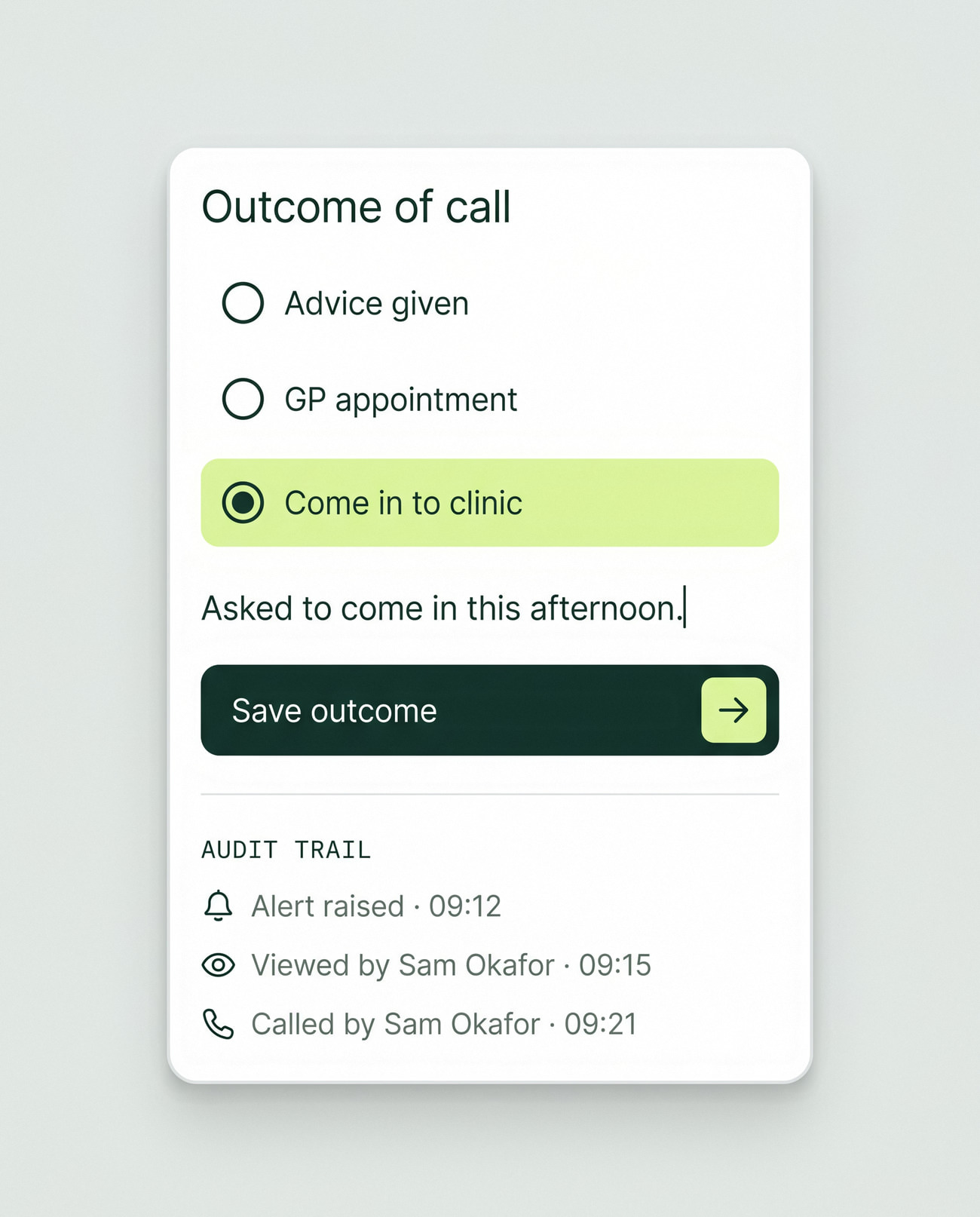
When a reading crosses a limit set by the care team, the alert walks the nurse through the steps: acknowledge, call, record the outcome. An alert can't close until the outcome is written down.
Daily check-in

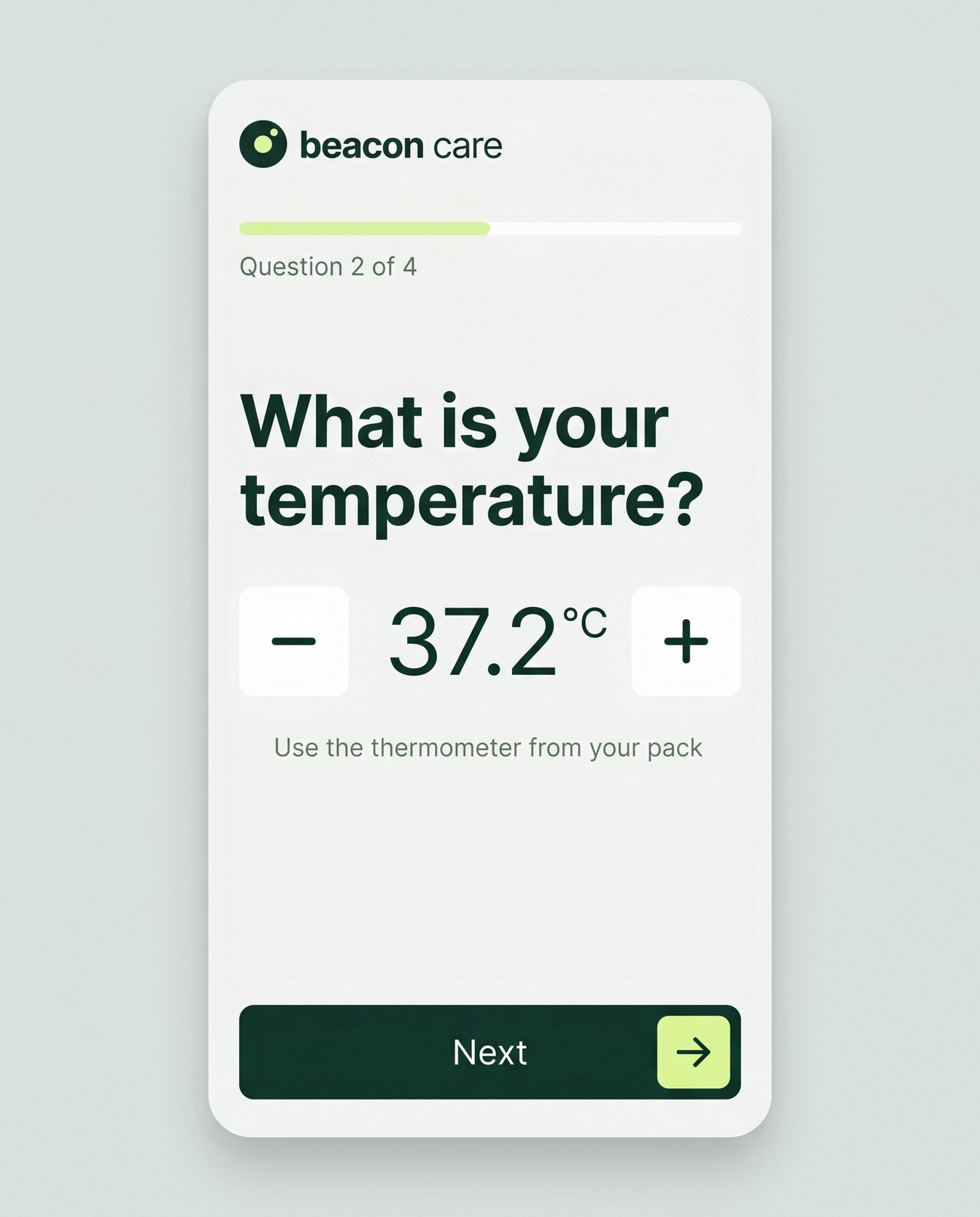
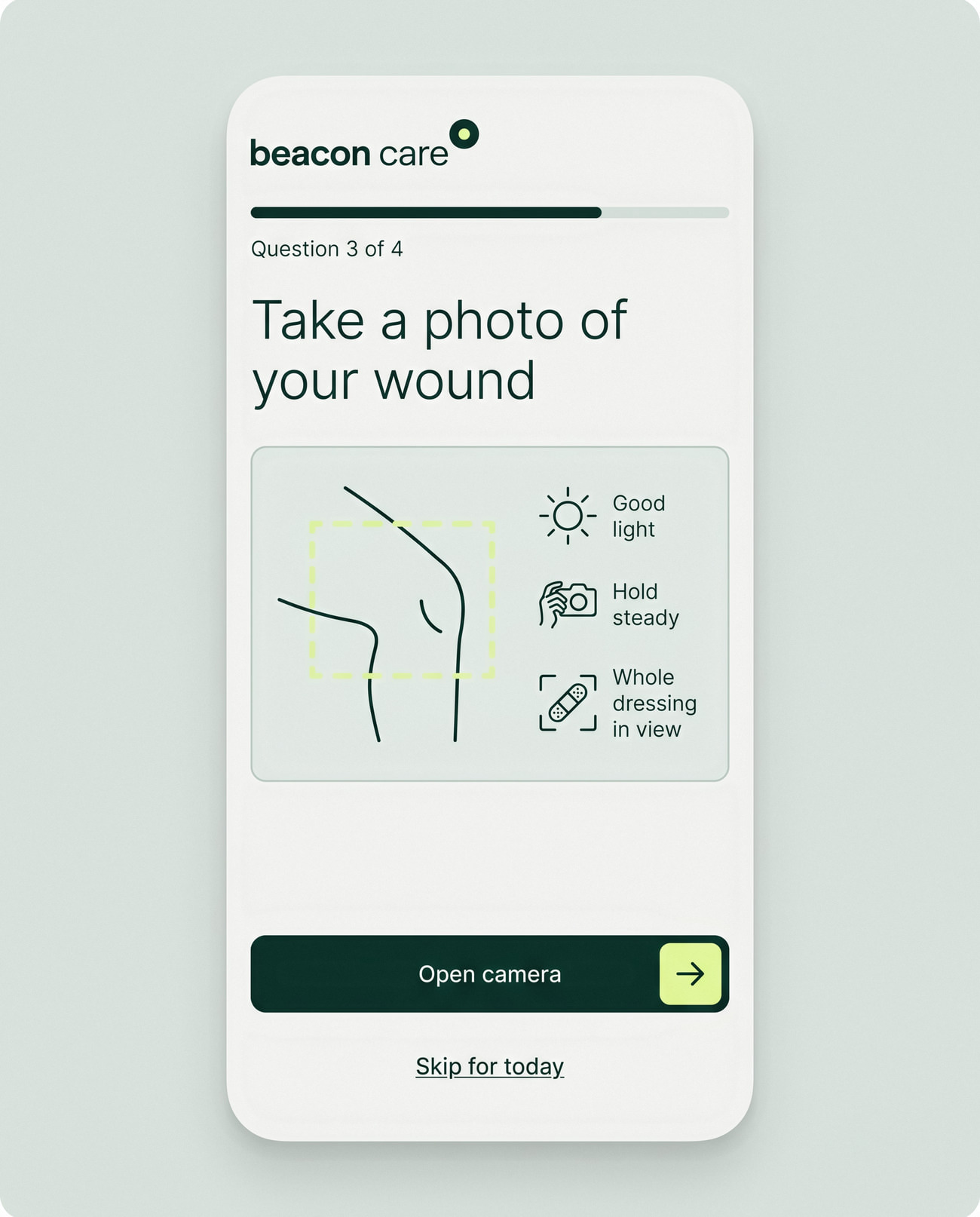
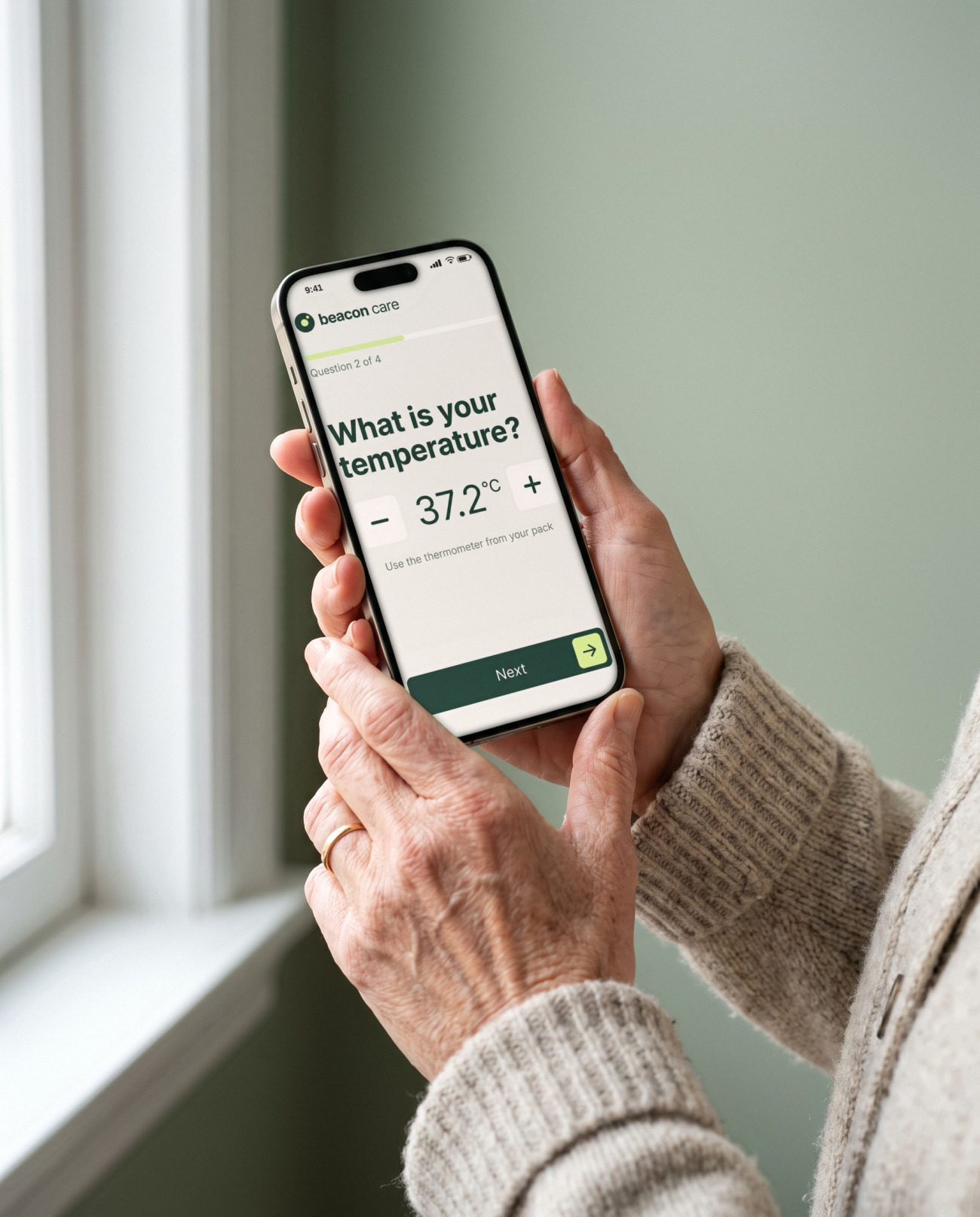
Two minutes, one question at a time

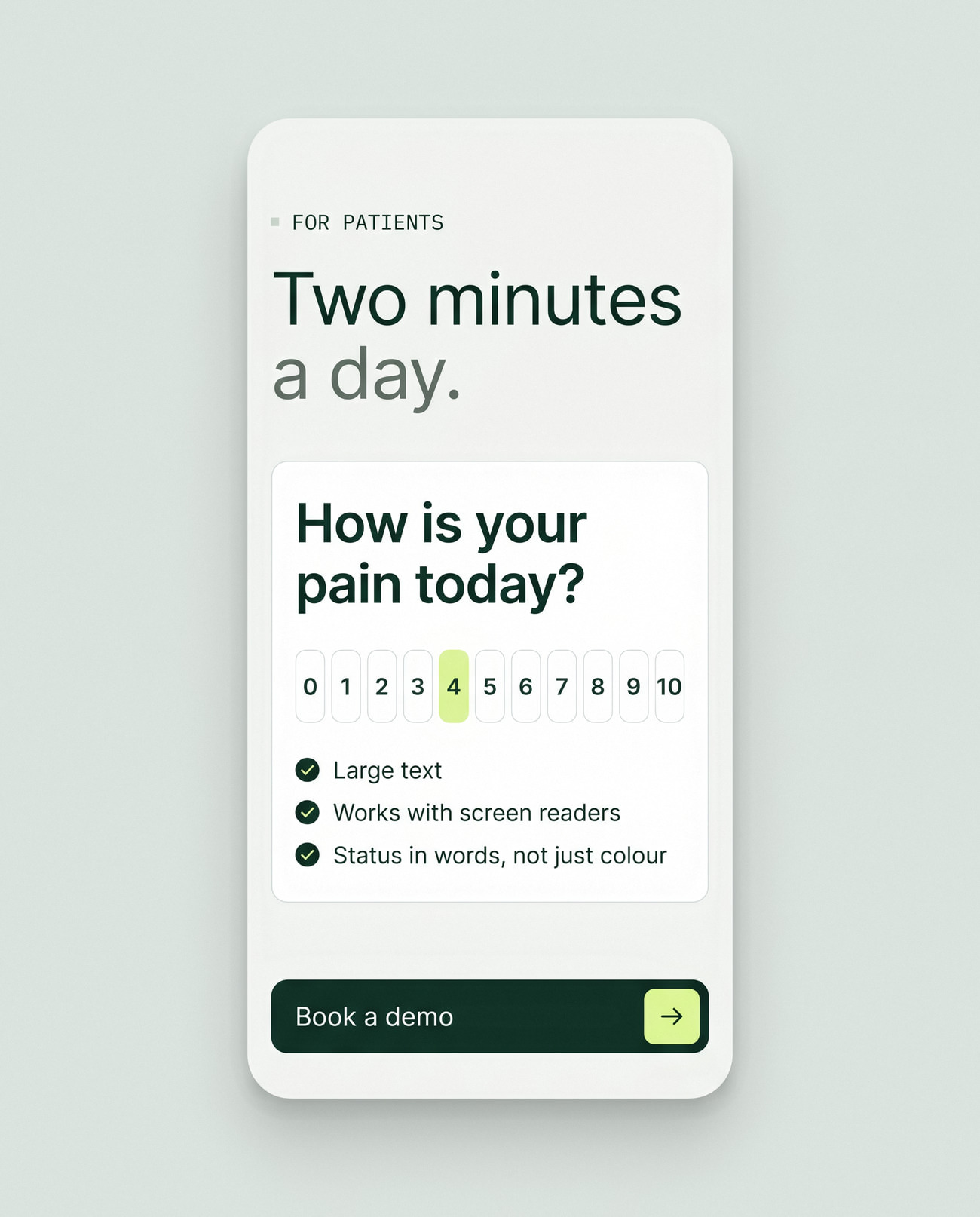
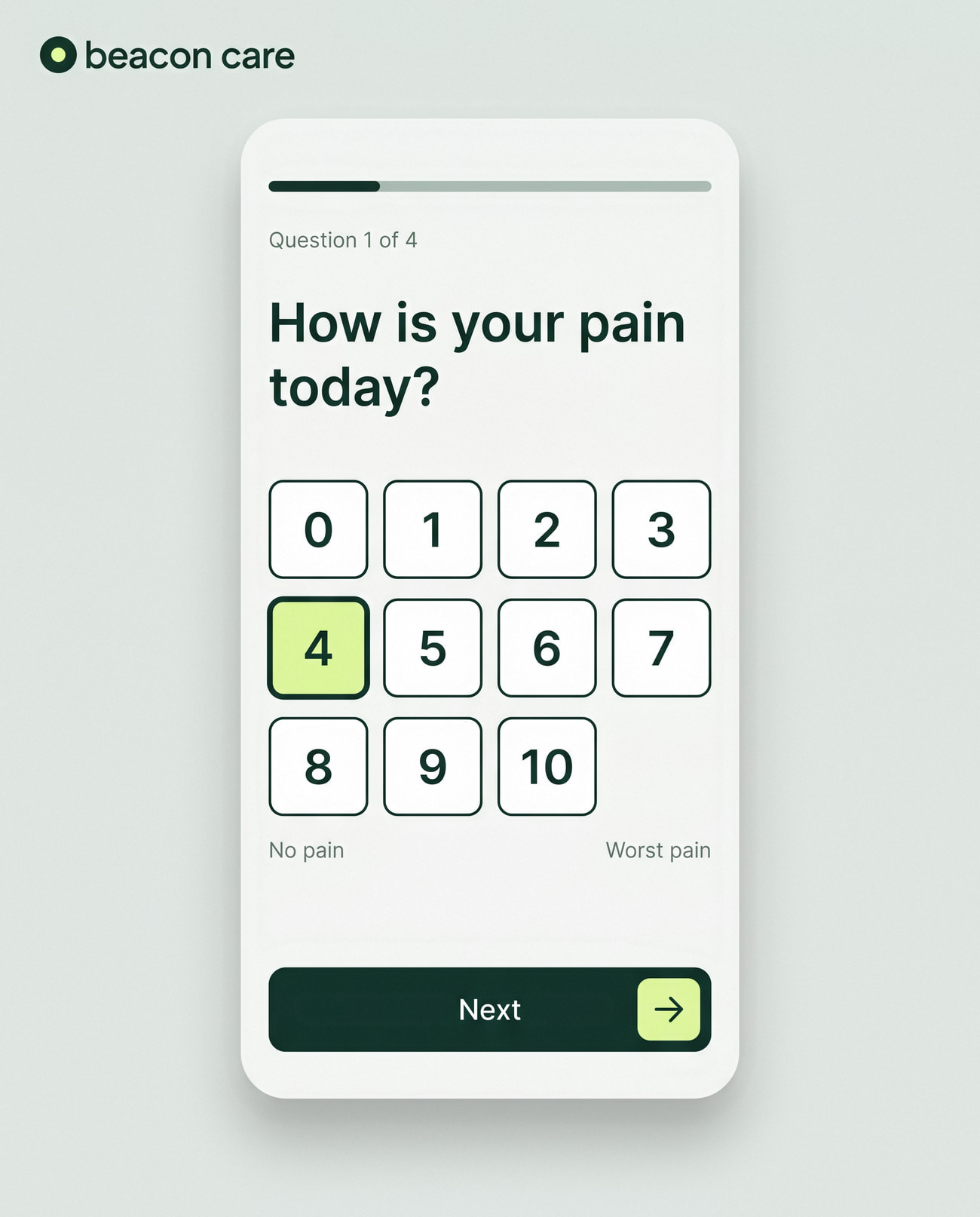
The check-in asks one question per screen, with large buttons and plain words. It's designed to work with a screen reader and at 200% text size, because many patients are older and still recovering.
Accessibility written into the file
Designed to WCAG 2.2 AA
Accessibility

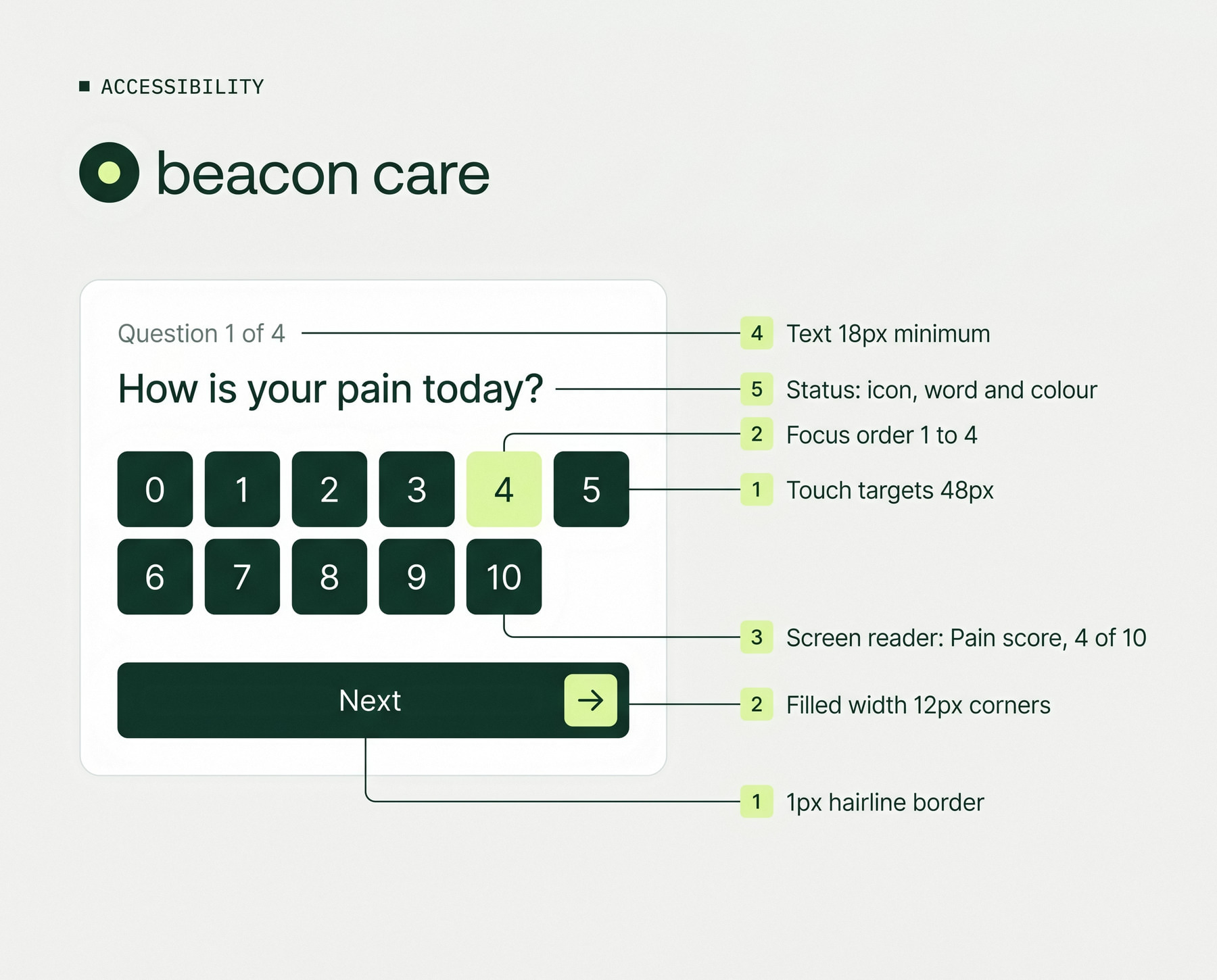
Accessibility written into the file

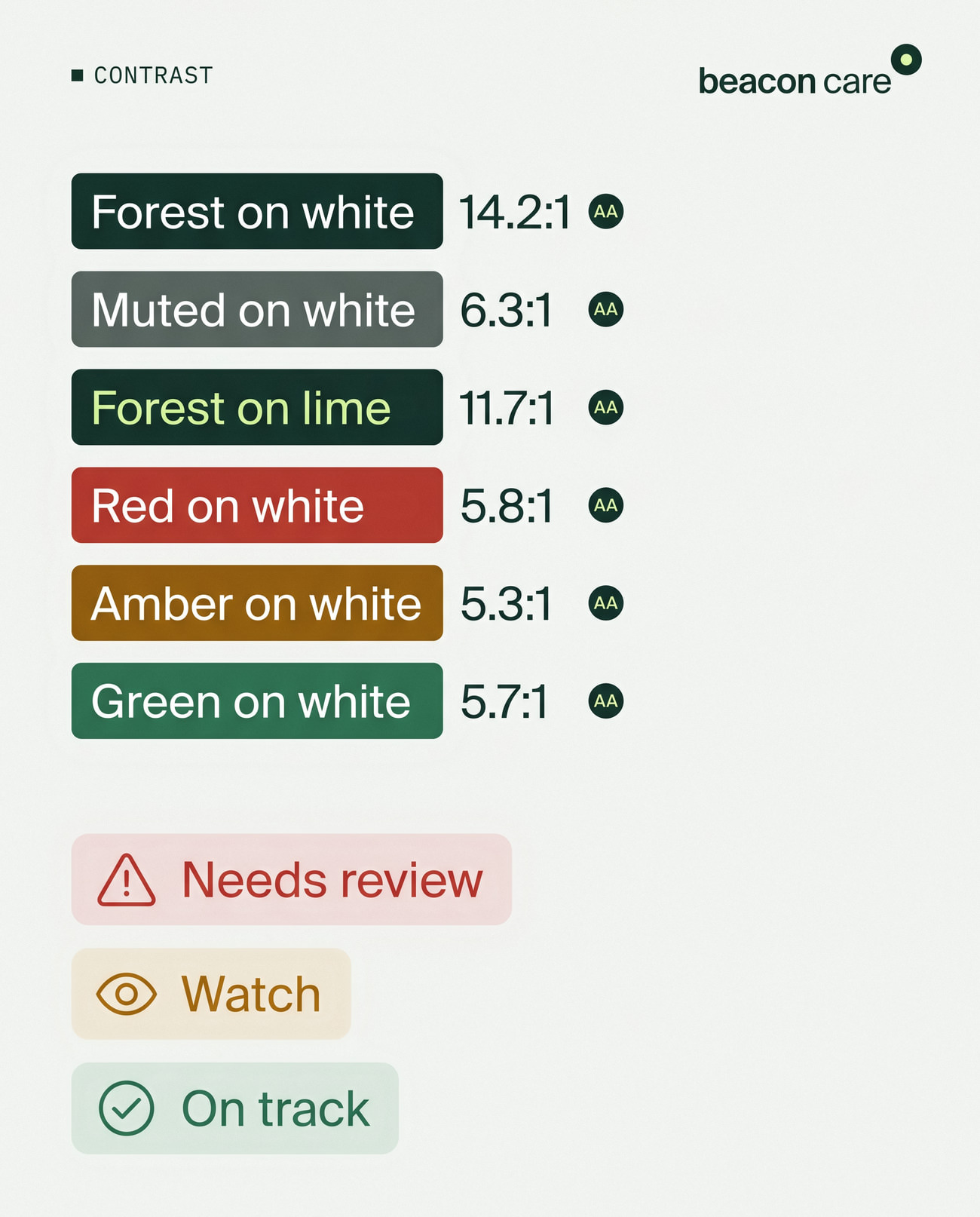
Accessibility notes are part of the design, not an afterthought: contrast ratios, focus order, screen reader labels and 48-pixel touch targets on every patient screen.
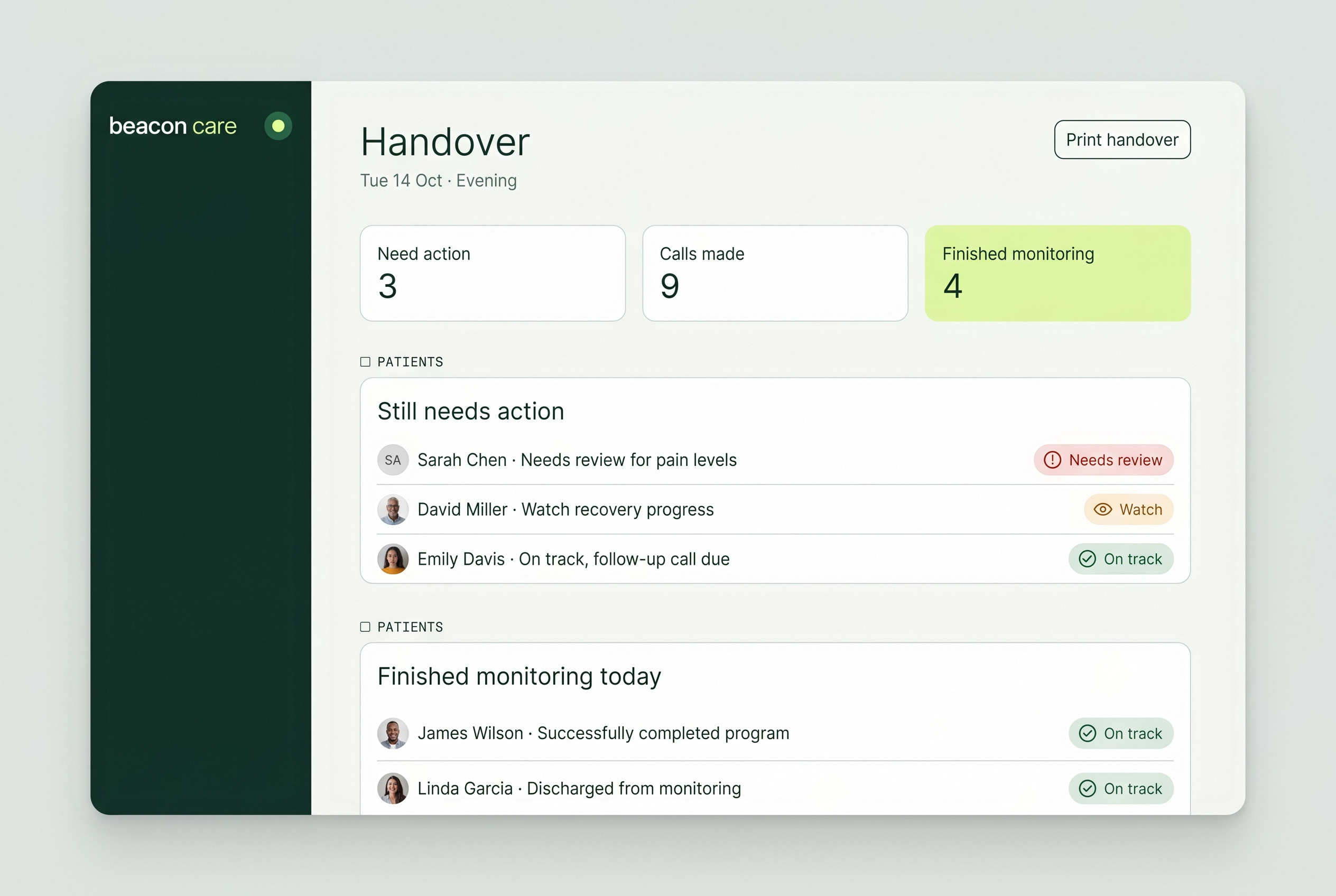
The shift change, on one page
Handover

The shift change, on one page

At the end of a shift, the handover lists who still needs action, who owns it and who finished monitoring today, so nothing is lost between nurses.
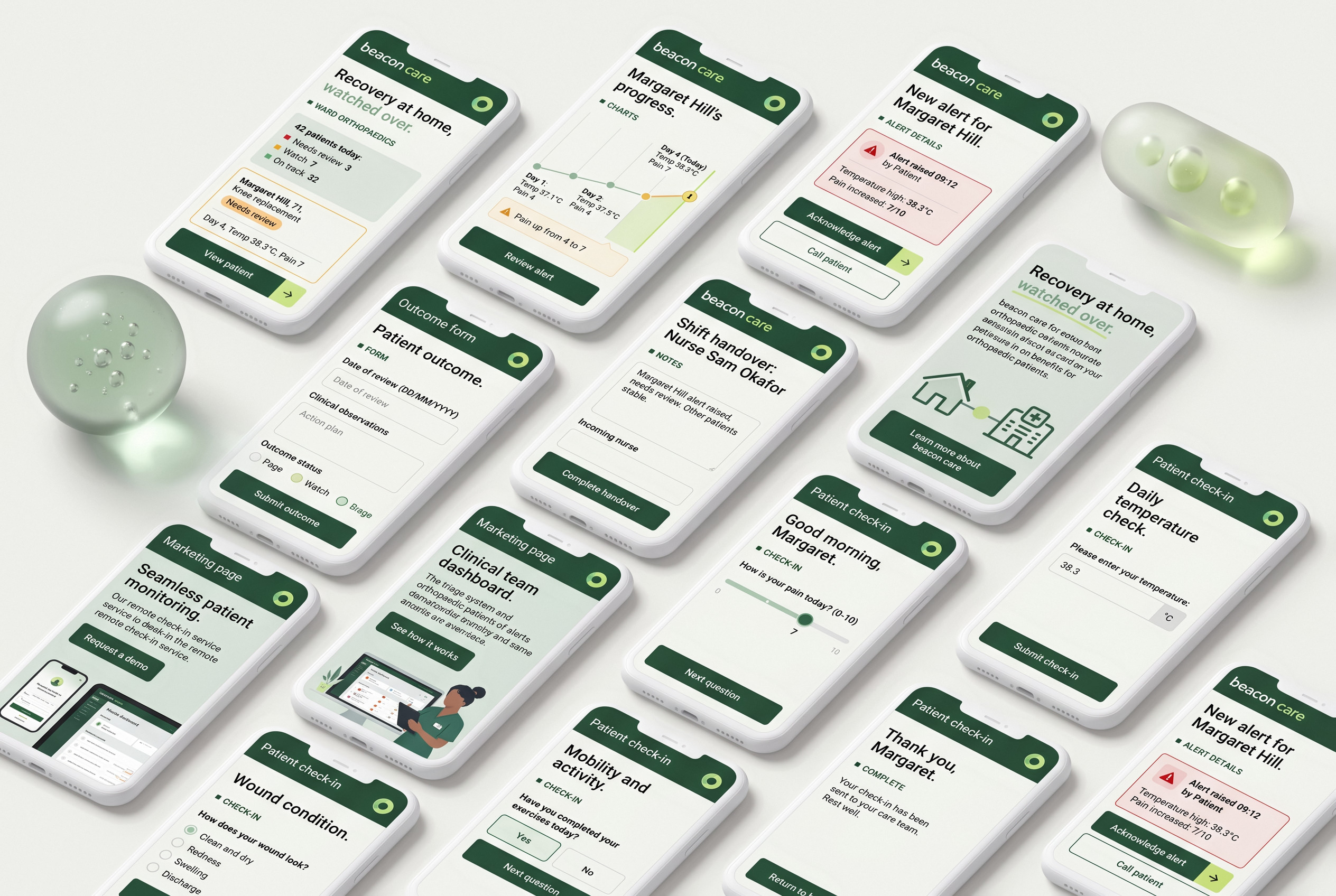
Clinician and patient, side by side
All screens

Clinician and patient, side by side

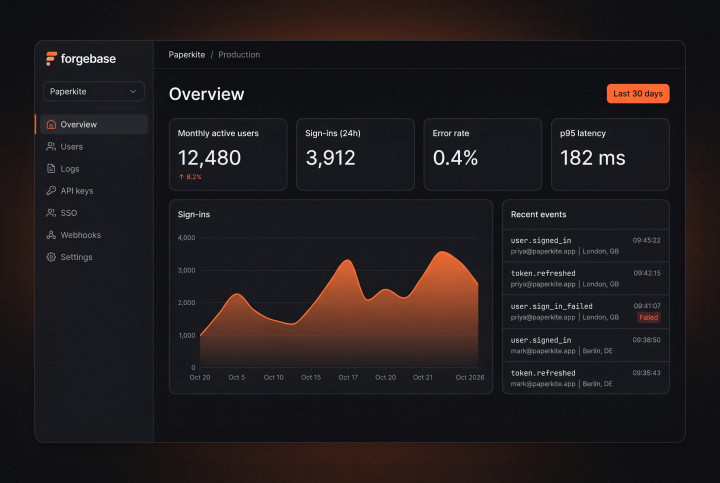
Fourteen screens across the nurse dashboard and the patient app, sharing one calm visual language, the same buttons and the same status badges.
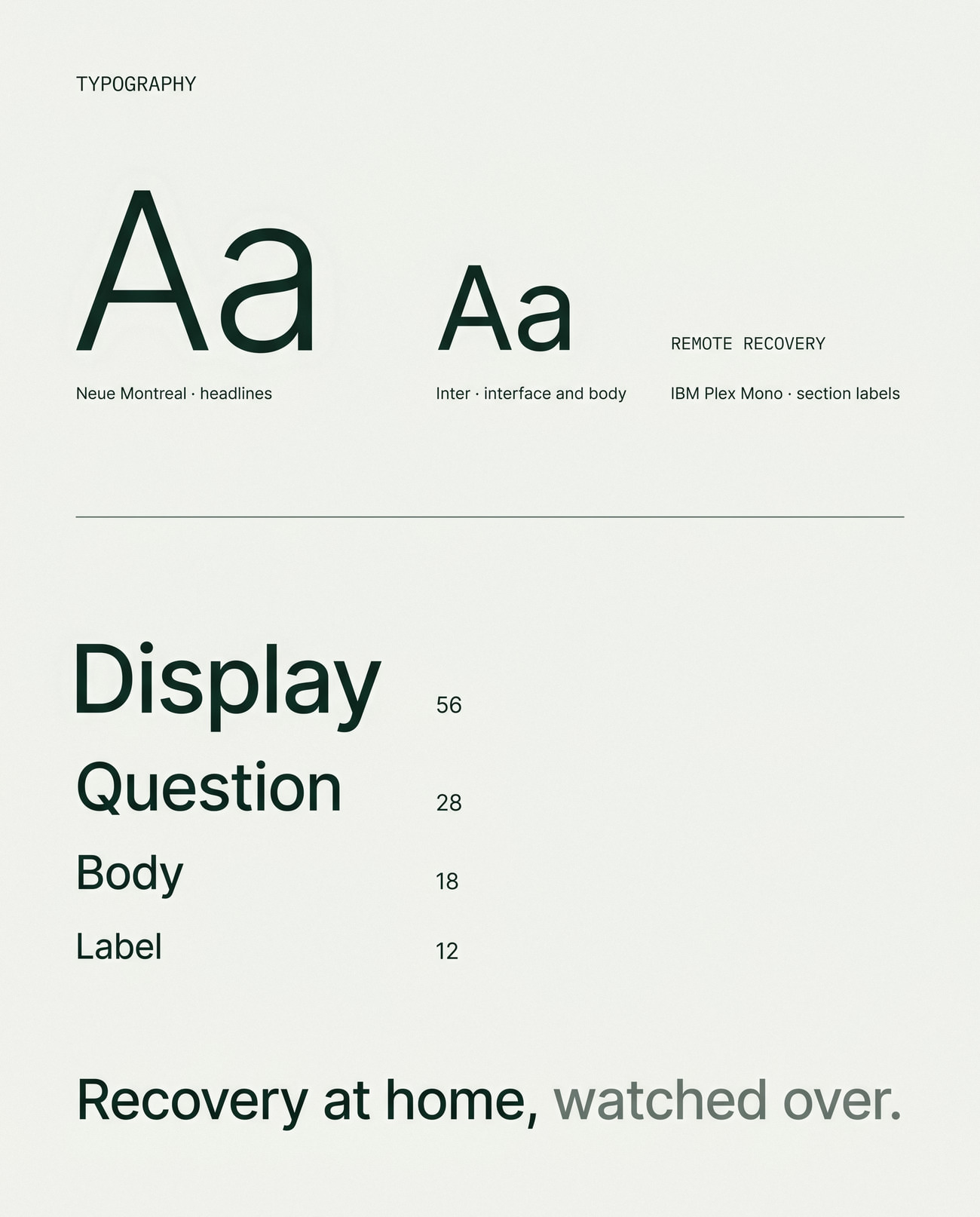
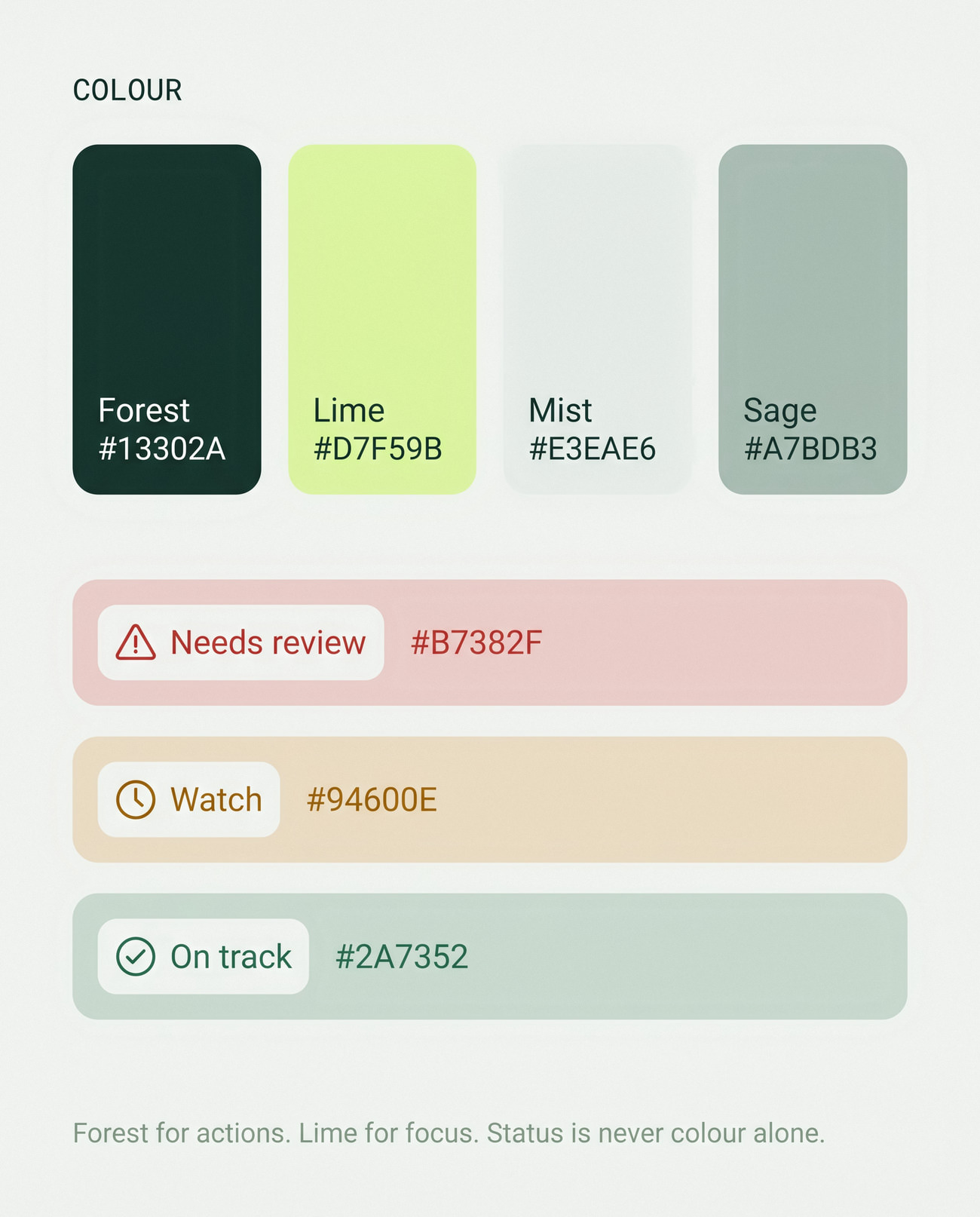
Design system

Legibility first

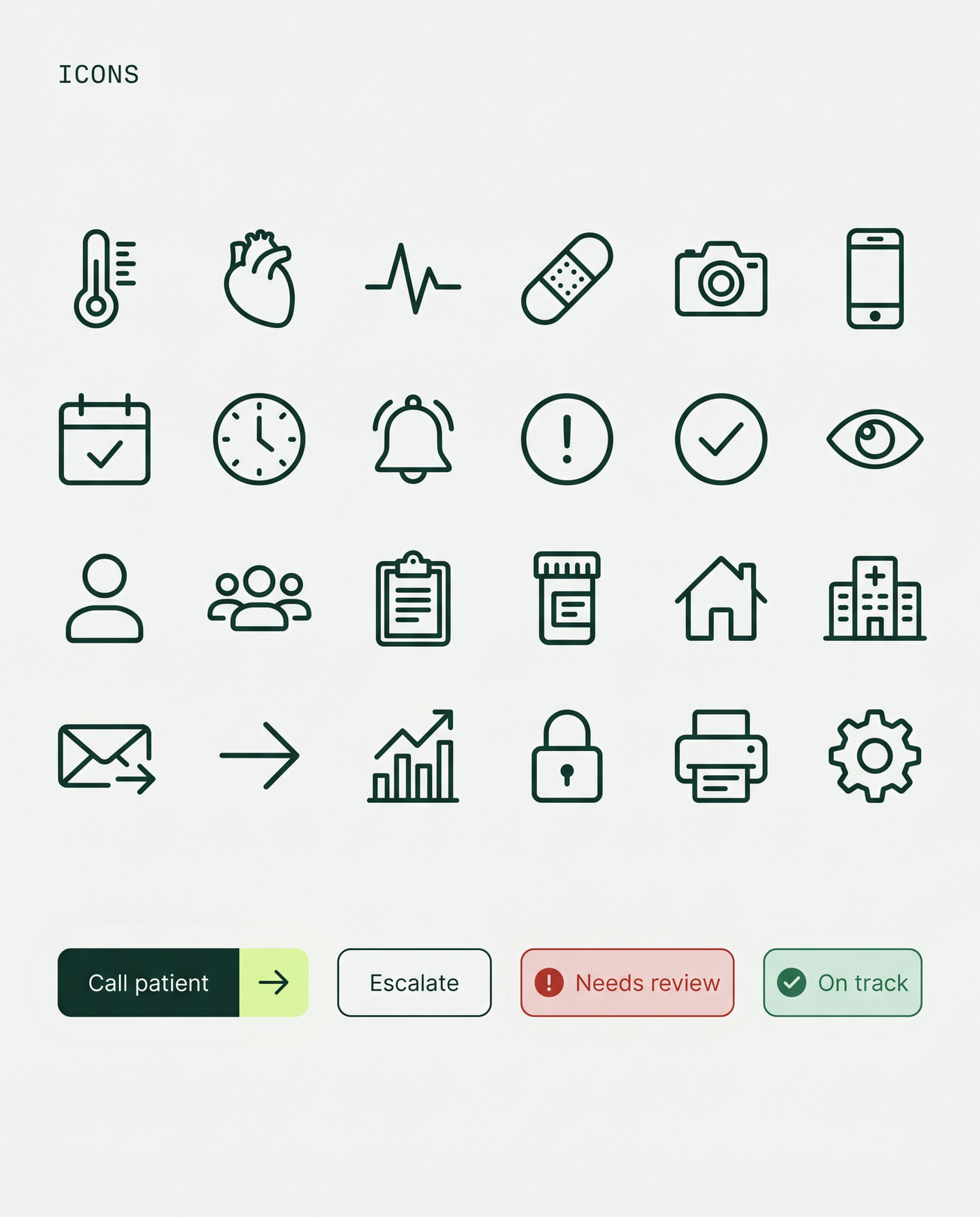
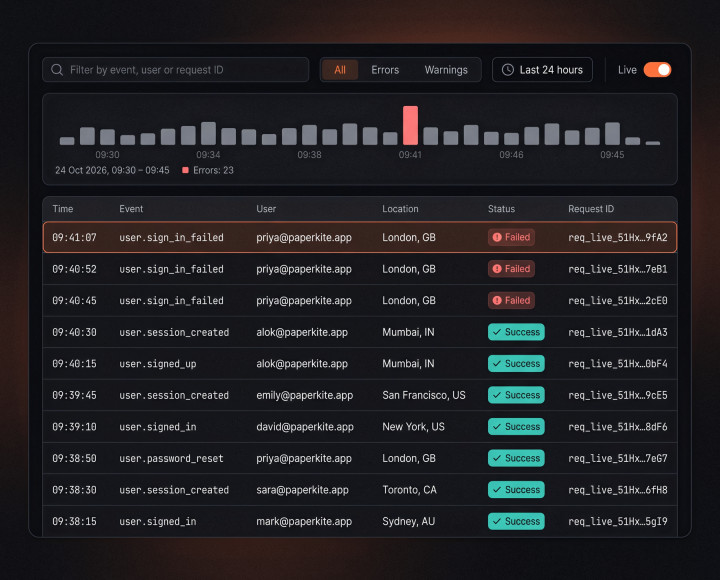
Neue Montreal for headlines, Inter for every word a patient reads, deep forest green for actions and pastel lime for focus. Status is never colour alone: every badge has an icon and a word.
On the ward and at the kitchen table
In context

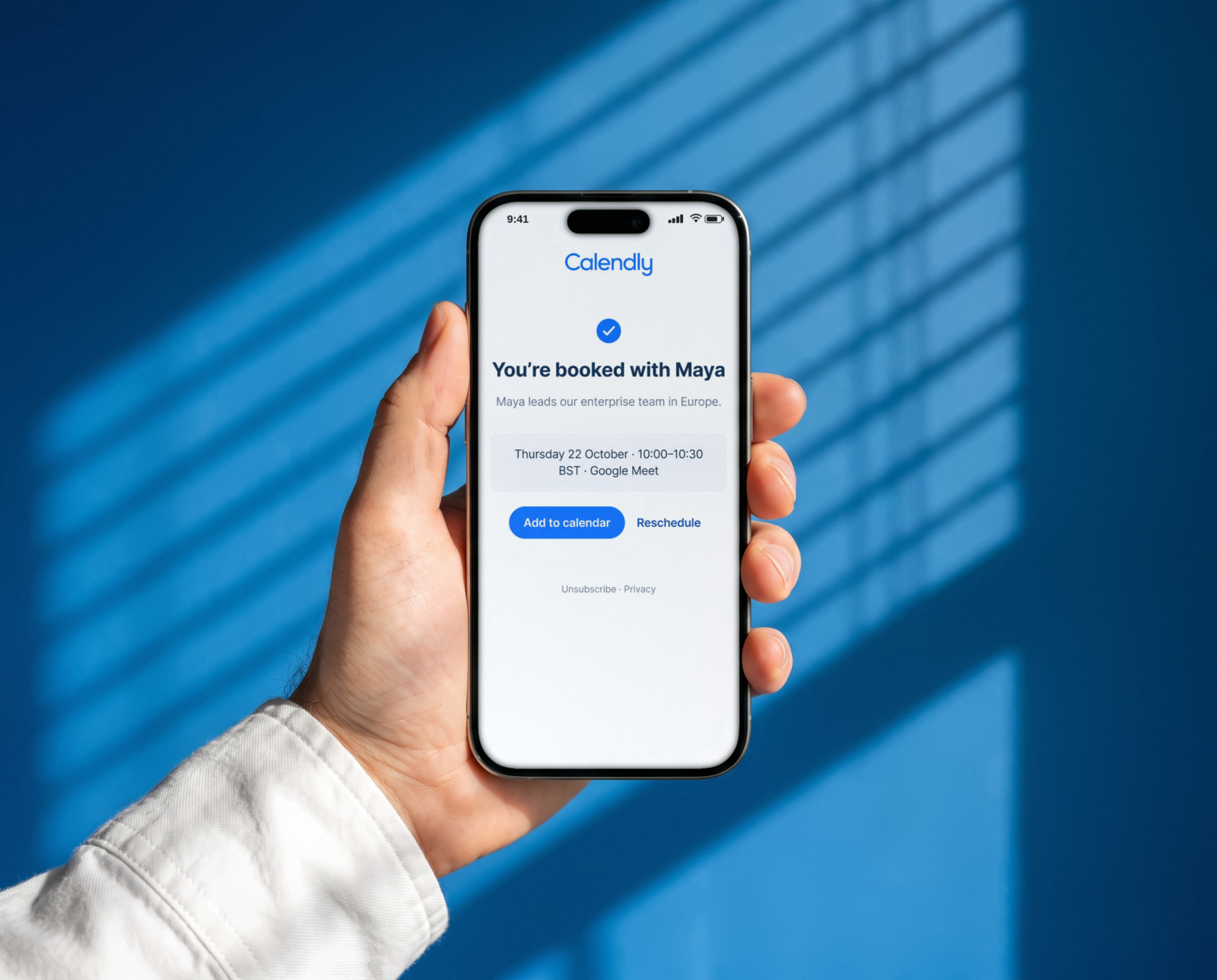
On the ward and at the kitchen table

Nurses triage from a ward desk; patients check in from home, often with shaky hands and reading glasses.
WCAG 2.2 contrast target on every screen
AA
Minimum touch target in the patient app
48 px
Target length of the daily check-in
2 min

Want work like this for your store?

Answer a few quick questions and see your price, and the payback you can expect, in two minutes.

Get a quote
More
work